What Stapel does
One promise: the cashier scans it first time. Everything below is in service of that.
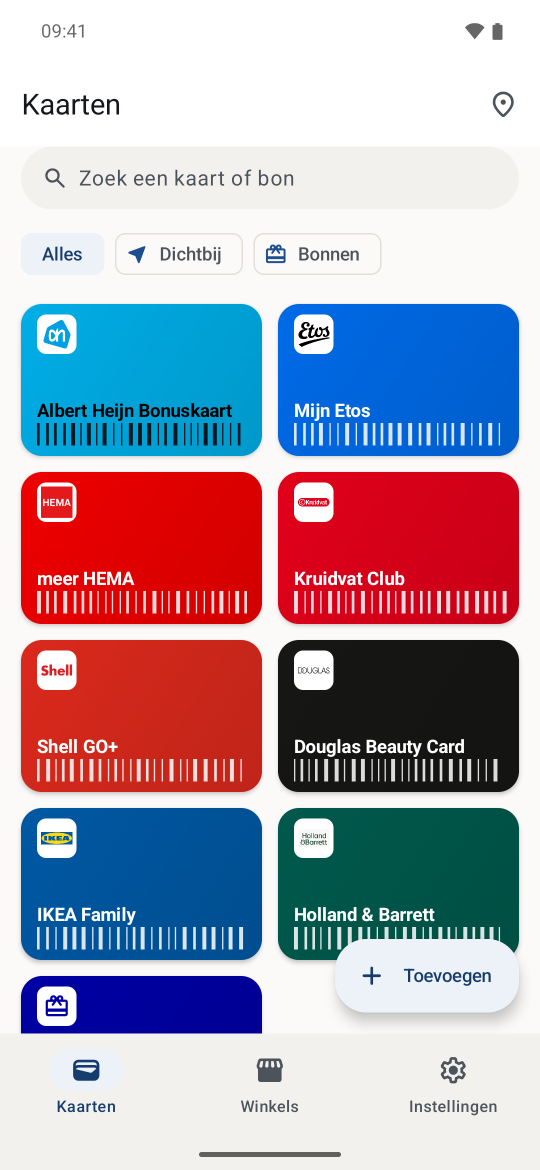
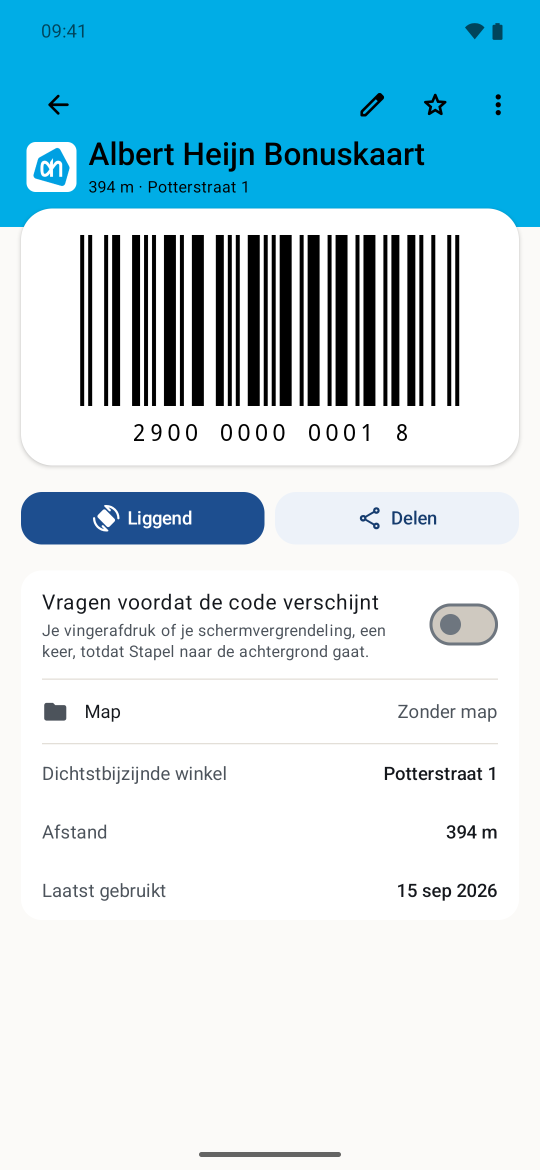
Two widgets, one idea
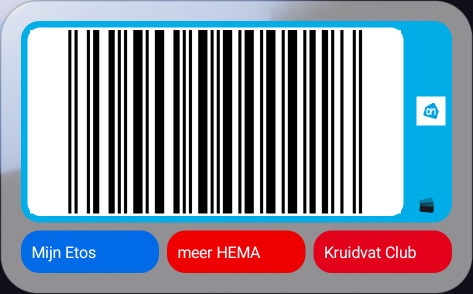
The wide widget (4×2) is the card that is ready: its colour, its mark and its barcode, with three tappable chips under it for the cards you used next most recently. Walk into a shop it knows and the code switches to that card, with the shop you are standing in named above it. Zero taps between you and the code. That switch is on by default; off, the card you used most recently stays.
The small widget (4×1) is a single row, edge to edge: the card itself, in its own colour, with the barcode across the full width. Tapping opens that card. Standing nowhere in particular, it is the card you used most recently.

Quick Settings tile
Two gestures from a locked screen to a barcode. The tile retargets to the same card as the widget.
Launcher shortcuts
On a long press of the app icon: scan, plus the cards you used most recently. How many fit is up to your launcher; usually four.
Arrival detection
Opt-in. Off by default. One switch, on or off.
| Position | What it uses | What it costs |
|---|---|---|
| Off, which is how it ships | No location at all | Nothing. The widget shows what you use most |
| On | Google Play Services geofencing on the ~20 nearest stores | A little battery each day, and it says so on the screen. No percentage: not measured |
There is no middle setting to pick. Switching it on asks for precise location, for "allow all the time" and for notifications, and without all three the switch does not move. Set Stapel's location in Android to "only while using the app", or to approximate, and that is not a modest variant but a dead end: Play Services geofencing refuses such a grant, so the app says on the screen what is missing rather than switching on something that would never fire.
On, there are two separate switches, both about what happens on arrival rather than about the measuring: whether the shop you are standing in is named above the barcode, and whether the card may appear on the lock screen. That last one is off; what it costs is on the privacy page.
Underneath this is Google Play Services' GeofencingClient with a radius of
about 150 metres, re-armed on the nearest stores whenever you move meaningfully. The app
still asks Android directly for your position rather than fused location, and Stapel
sends it nowhere. What the geofencing itself gets to see is on the
privacy page.
On arrival the widget changes, the tile retargets and one notification fires. That notification is probably the most useful part: nobody is looking at their home screen while walking into a shop.
Three kinds of card
Loyalty card
Points cards and member passes, with the logo, brand colour and icon from the catalogue.
Gift voucher
With an expiry date. From fourteen days out it is flagged as expiring in the voucher list. The balance is text you maintain; Stapel never pretends to know an amount it cannot verify.
Membership
Paid subscriptions such as Pathé Unlimited get a renewal date, shown on the card. Thirty days before that date you get a notification, unless you switch notifications off.
Getting cards in
Scan with the camera
On the device itself. Reads damaged, angled and badly lit codes. What the scanner reports always beats what the catalogue guessed.
From your photo roll
A screenshot from another app just works. One at a time: you pick the image in the scanner, Stapel reads the code and you confirm.
From Catima or Apple Wallet
Stapel reads a Catima export (.zip or .csv) in one go, and a pkpass off an iPhone, one pass per file. Those are the two real interchange formats that exist here.
By hand
Type the number, pick the chain, done. The catalogue suggests a barcode format; that is a hint, not an assumption.
Importing from Stocard or Klarna is not possible. Those apps have no export, so there is no file to read. What does work: scan your cards again, or screenshot every card in the old app and pick them one per card in the scanner.
Organising and finding things
Store finder
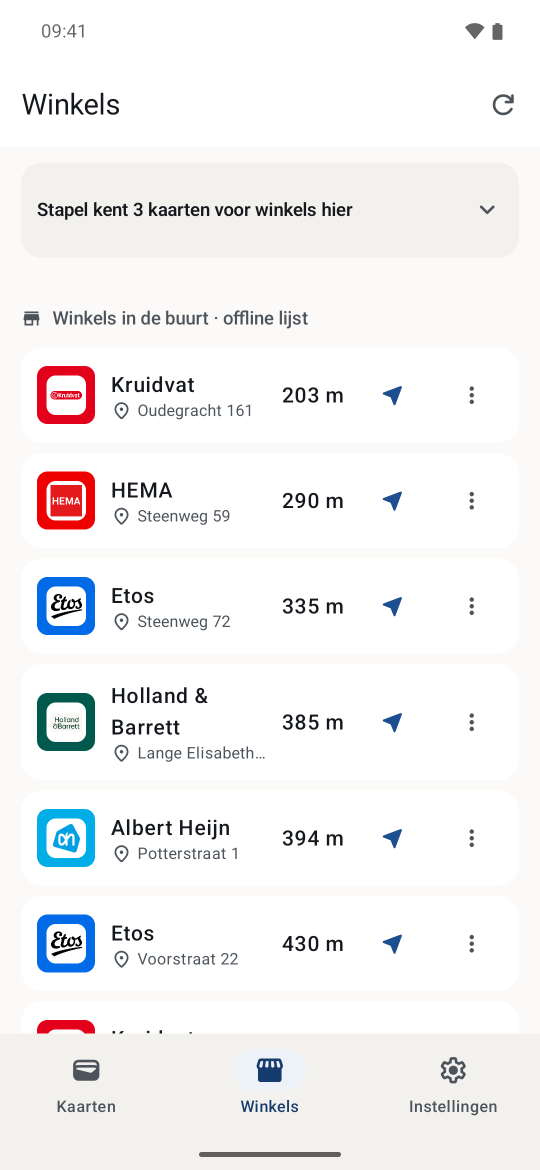
Which branches of a chain are near you, from the same database that feeds arrival detection. No map view, no request to anywhere.
Folders and manual order
Drag cards where you want them. No algorithm that knows better.
Pin a branch yourself
If the branch you use is not in the store data, pin it while you are standing in it. That works for a chain that is in the brand catalogue and whose card you hold in the app, and only with arrival detection on; without it there is nothing for the alert to hang on. So the gym round the corner, which is in no catalogue anywhere, cannot be pinned.
Brand catalogue
Hundreds of rows, most of them with a card. The Dutch ones are loyalty programmes and memberships that do carry a card, plus a handful of chains that run nothing and are listed precisely so the app does not suggest them. Alongside those are the foreign rows, for Belgium, Germany, Austria, France, Spain, Italy, Portugal, the United Kingdom, Ireland, Poland, the United States, Canada, Denmark, Sweden, Norway, Finland, Iceland, Brazil, Japan, Australia, New Zealand, Mexico and South Africa. Which countries the app also knows the shops for is a separate list, on the store data page. Some cards are honoured at more than one chain; Colruyt Xtra, for instance, at Colruyt, OKay, Bio-Planet, Spar, Dreamland and DATS 24. The catalogue grows most weeks, so this page does not quote a total that would only be right until the next release.
The app ships brand logos for most of the list: a few files also serve a sister chain in another country, Lidl's among them. They come from Wikimedia Commons and are there only to make the card you already hold recognisable; the provenance and licence of each one is in the app under Privacy → Licences. A chain without a logo gets the brand colour and an icon instead. Any chain that would rather not see its logo here only has to ask.
The list updates itself. It ships with the app as a floor, and the app picks up a signed version once a month over the same secured route as the store data: no account, no extra permission, no new server. When a chain renames its programme you do not have to wait for a new version of the app. The Brands screen says when your list was last updated.
Six of the Dutch programmes were renamed in 2025 or 2026. An outdated name or a wrong colour is a real bug: report it.
Backup and moving phones
Your cards, vouchers and folders in one file you put where you like, and a read-back on the new device. No cloud, no account. The file is not encrypted: it is plain JSON, so you can still open it in ten years, and anyone holding it can read your codes. The app says so on the backup screen too.
Android separately does Auto Backup, which puts a copy in your Google account. The app names that and you can switch it off; how is on the privacy page.
Accessible, and Android-native
Accessible from day one
TalkBack labels on everything, touch targets of at least 48 dp, and state is always a word as well, never only a colour.
Dark mode
Light, dark, or whatever your system is doing, in Stapel's own palette. The widgets do pick up your wallpaper colours where Android offers them; the app's own screens do not.


What is deliberately absent
- No points or stamp counters. Stapel cannot verify a balance, so it will not lie about one.
- No offers feed. That is the reason the other apps are free.
- No Google Wallet integration. It needs an issuer account and a server that signs tokens. Both are precisely what this app does not have.
- No Wear OS in version 1. A watch screen is too small and too dim for a till scanner.
- No pro tier and no adverts. Free, with the option to donate.
In the Play Store
Stapel is in the Play Store. Free, with no account, and you do not need to be on any list.